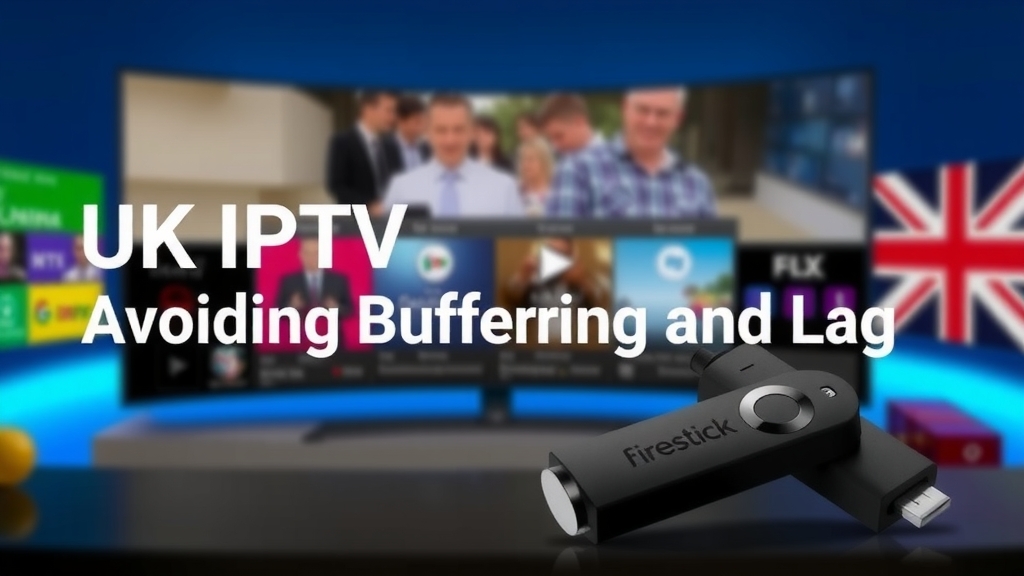
UK IPTV for Firestick Setup: Avoiding Buffering and Lag
Did you know that over 70% of IPTV users report buffering issues, often due to poor setup? As a UK IPTV enthusiast, I've seen how a simple misconfiguration can ruin your viewing experience. In this guide, I'll walk you through setting up your Firestick to eliminate buffering and lag, ensuring you get the most out of your subscription without the frustration. Whether you're streaming live sports or catching up on UK channels, a smooth setup is key—let's dive in and fix those annoying interruptions once and for all!
Understanding Why Buffering and Lag Happen with UK IPTV
Buffering and lag can turn a relaxing evening into a frustrating ordeal, but understanding the root causes is the first step to fixing them. Common culprits include slow internet connections, server overload from your IPTV subscription, or limitations of your Firestick hardware. UK IPTV services differ from traditional streaming platforms like Netflix because they often rely on real-time data transmission for live TV, making them more sensitive to network fluctuations. The Firestick, while versatile, has modest hardware that can struggle with high-bitrate streams if not optimized properly. Server overload is another frequent issue, especially during peak times when many users are accessing the same content simultaneously. By recognizing these factors, you can tailor your setup to mitigate them—think of it as diagnosing the problem before applying the cure. For a deeper dive into these issues, check out our article on UK IPTV buffering issues, which breaks down causes and solutions in detail.
Pre-Setup Checklist for a Smooth UK IPTV Experience
Before you even install an app, a few preparatory steps can make a world of difference in avoiding buffering and lag. Start by checking your internet speed: for HD streaming, aim for at least 10 Mbps, while 4K content requires 25 Mbps or more—use a free online speed test to verify this. Next, update your Firestick firmware and any existing apps to ensure compatibility and performance improvements. Clearing cache and freeing up storage space is crucial; a cluttered device can slow down processing and cause lag. Consider using a wired Ethernet adapter instead of Wi-Fi for enhanced stability, as wireless connections are prone to interference. This checklist sets a solid foundation, reducing the risk of issues down the line. Remember, a little prep work now saves hours of troubleshooting later, and it aligns with best practices for any UK IPTV service selection.
Step-by-Step Firestick Setup to Minimize Buffering
Now, let's get your Firestick configured for optimal UK IPTV streaming. Begin by installing a reliable IPTV app like TiviMate or IPTV Smarters—these are popular choices known for their customization options. Once installed, dive into the app settings: adjust the buffer size to a higher value (e.g., 10-15 seconds) to pre-load more data, reducing sudden buffering. Choose a player option that suits your device; external players like VLC can sometimes handle streams better. Set up the Electronic Program Guide (EPG) properly to avoid delays in channel loading. On your Firestick, optimize display and audio settings by matching them to your TV's capabilities (e.g., 1080p or 4K resolution) to prevent unnecessary processing lag. Finally, run a speed test within the app to ensure your connection meets the streaming demands. This step-by-step approach transforms a basic setup into a finely tuned system, much like the comprehensive guidance in our pillar article on UK IPTV for Firestick, which covers everything from subscriptions to advanced setups.
Advanced Tips to Eliminate Lag and Improve Streaming
If you've followed the basics but still encounter occasional lag, these advanced tips can take your UK IPTV experience to the next level. Using a VPN can improve routing by avoiding ISP throttling and providing better server access, which is especially useful for geo-restricted content. Adjusting DNS settings on your Firestick to a faster service like Google DNS or Cloudflare can reduce latency when accessing IPTV servers. Schedule updates and maintenance during off-peak hours to avoid congestion—late nights or early mornings are ideal. Monitor your data usage to prevent throttling from your internet provider, as excessive streaming might trigger slowdowns. These tweaks address underlying network and timing issues, ensuring a smoother flow of data. For those on a budget, combining these tips with a cost-effective UK IPTV subscription under £10 can deliver premium performance without breaking the bank.
Troubleshooting Common UK IPTV Buffering Issues
Even with a perfect setup, buffering can sometimes persist—here's how to troubleshoot effectively. First, if buffering continues, double-check your internet speed and consider restarting your router and Firestick to clear temporary glitches. Contact your IPTV provider for server-side fixes; they might be experiencing overload or technical issues that require their intervention. Explore alternative apps like OTT Navigator or Perfect Player, as different software can handle streams better depending on your setup. If lag remains stubborn, it might be time to upgrade your Firestick to a newer model or boost your internet plan for higher bandwidth. This proactive approach ensures you're not stuck in a loop of frustration. For more insights, refer to our guide on best UK IPTV for Firestick, which includes app recommendations and hardware tips.
By following these steps, you can transform your UK IPTV setup into a buffer-free zone. Remember, a little preparation goes a long way in avoiding lag. Ready to enjoy seamless streaming? Share your setup success in the comments or check out our main guide for more on subscriptions and reviews!